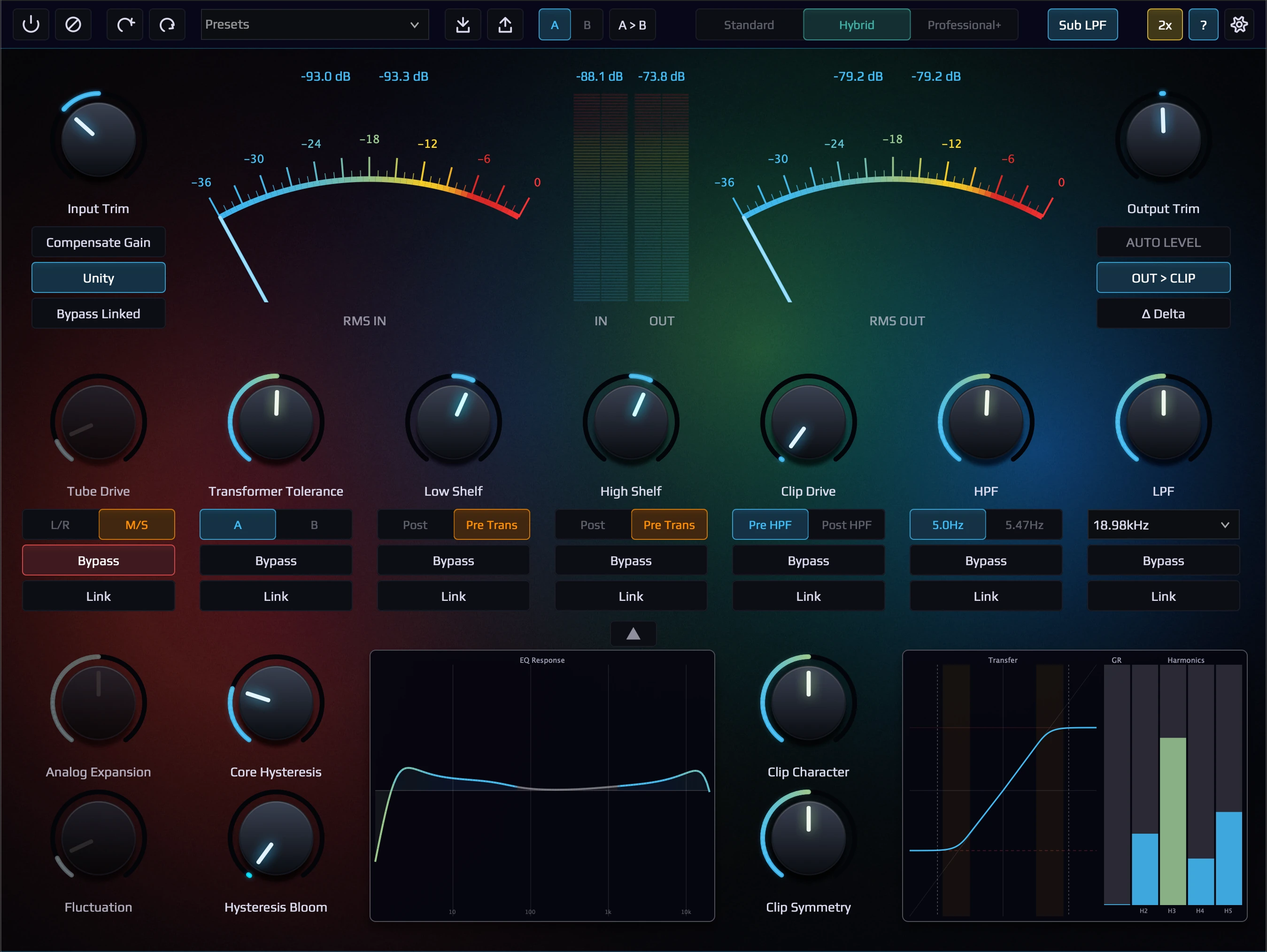
Vintage Warmth, Modern Precision.
The Ultimate Hybrid Analog Coloring Tool
Separated neural modeling of vacuum tube & transformer stages — fused with real-time inference and modern digital precision. 真空管とトランスフォーマーを分離モデリング。リアルタイム推論とデジタル精密設計のハイブリッドシステム。
Voices from professional engineers, hardware owners, and the audio plugin press worldwide. プロエンジニア、ハードウェア所有者、世界中のオーディオプラグインメディアからの声。
“Naruki, this is amazing. I have been looking for something exactly like this for a long time. The ALA-101 really gives me the sound that I associate with hardware in general.” 長年このようなものを探していた。ALA-101 は自分が一般的にハードウェアに対して感じる音そのものを与えてくれる。
“This is an amazingly executed plugin in every single way. It not only sounds amazing, it also has such a gorgeous and well thought out UI… you’ve created a class leading analog sounding plugin.” あらゆる面で見事に作り込まれたプラグイン。音が素晴らしいだけでなく、UI も美しくよく考えられている。クラス最高のアナログ系プラグイン。
“I love it when a developer makes a no-compromise effort, and makes something that is actually unique. Not only is the sound quality of your product absolutely gorgeous, but the workflow and layout of your plugin is highly ergonomic.” 妥協のない開発姿勢で、本当にユニークなものを作っている。音質は絶対的に美しく、ワークフローとレイアウトも極めて人間工学的。
“You’ve gotten to the heart of what truly makes capturing analog devices difficult. I wish more developers spoke about their process… This hybrid approach I think is the future.” アナログ機器のキャプチャを本当に難しくしている核心に迫っている。このハイブリッドアプローチは未来だと思う。
“The audio quality of the subtle nuances of ‘mojo’ was astoundingly good… so I bought it.” 微細な “mojo” のニュアンスの音質が驚くほど良かったので購入した。
“It’s the first plugin whose sound feels like my HW tube based preAmp setup. I like it when plugins are that good.” 自分のハードウェア・チューブ系プリアンプのセットアップと同じように感じられる初めてのプラグイン。これほど良いプラグインは嬉しい。
“Sounds absolutely mindblowingly glorious! … If you look at this in Plugin Doctor, it is ridiculously good at suppressing aliasing even at 2x oversampling… crank it up to Extreme + 4x and it’s just clean as a whistle.” 信じられないほど素晴らしい音。Plugin Doctor で見てもエイリアシング抑制が異常なほど優秀。Extreme + 4x で完全にクリーン。
“You hear the unique ability of this thing creating the illusion of an additional lower octave, something I’ve only managed to do with hardware in the past.” 追加の下のオクターブの錯覚を作り出すユニークな能力が聴こえる。過去にはハードウェアでしか実現できなかったもの。
“This is the first plugin since AnalogX that has really sparked my interest; I love the interface, and the sound is… mmm.” AnalogX 以来、本当に興味をそそられた最初のプラグイン。インターフェースが好きで、音は…たまらない。
“Separated neural modeling of vacuum tube and transformer stages fused with real-time inference and modern digital precision.”
KVR Audio News →“Every analog stage — individually captured, independently controlled, digitally fused. Not a black-box emulation, but a fully transparent hybrid system.” 各アナログステージを個別にキャプチャし、独立してコントロール、デジタルで融合。ブラックボックスではなく、完全に透明なハイブリッドシステム。
rekkerd.org →“This direct lineage from professional-grade equipment ensures a high level of authenticity and fidelity in the plugin’s sound.” プロフェッショナルグレードの機材から直接受け継がれた血統が、プラグインのサウンドに高い真正性と忠実性を保証している。
noizefield.com →Every analog stage — individually captured, independently controlled, digitally fused. Not a black-box emulation, but a fully transparent hybrid system. アナログの各ステージを個別にキャプチャし、独立制御。ブラックボックスではなく、完全に透明なハイブリッドシステム。 99.8% reproduction accuracy — evaluated against hardware reference across ESR, frequency response, transient fidelity, harmonic distortion, and envelope tracking (*Practical ESR: evaluated at signal levels above -10 dBu). モデル再現精度 99.8% — ESR、周波数特性、トランジェント再現、高調波歪み、エンベロープ追従など、ハードウェアリファレンスとの多角的解析による評価(*Practical ESR: -10 dBu 以上の信号で評価)
Hear the difference yourself. Same source, same gain staging — one through the original
hardware, the other through ALA-101. Switch instantly with A/B.
Recorded in Hybrid mode at 2× oversampling.
同一ソース、同一ゲインステージング — 一方はオリジナルハードウェア、もう一方は ALA-101。A/B で瞬時に切り替えて比較。
Hybrid モード、2× オーバーサンプリングで録音。
ESR (Error-to-Signal Ratio) measured on the above audio — the ratio of error power to original signal power: 上記音声で実測した ESR(Error-to-Signal Ratio) — 元信号のパワーに対する誤差パワーの比率:
99.8% of the original hardware signal is reproduced overall. At the best-performing frequency band, accuracy reaches 99.99865%. ESR measures the energy of the difference between hardware output and plugin output, relative to the hardware signal — the standard metric used in audio modeling. オリジナルハードウェア信号全体の 99.8% を再現。最も精度の高い帯域では 99.99865% の再現率を達成。ESR はハードウェア出力とプラグイン出力の差分エネルギーを、元信号のエネルギーに対する比率で表す — オーディオモデリングの標準評価指標。
The Clipper and Standard mode both employ ADAA (Antiderivative Anti-Aliasing) to eliminate aliasing artifacts at the source — not by oversampling alone, but by mathematically computing the antiderivative of the waveshaping function. This means clean, artifact-free saturation even at lower oversampling rates. Combined with a precision-designed compensation FIR filter, the result is transparent, phase-accurate nonlinear processing that preserves the original signal integrity. Clipper と Standard モードはともに ADAA(Antiderivative Anti-Aliasing)を採用し、エイリアシングを発生源で除去します。単にオーバーサンプリングに頼るのではなく、ウェーブシェイピング関数の逆導関数を数学的に算出することで実現。これにより、低いオーバーサンプリング率でもクリーンでアーティファクトのないサチュレーションが得られます。精密設計された補正 FIR フィルターと組み合わせることで、原信号の整合性を維持した透明で位相精度の高い非線形処理を実現しています。
Recording and mixing engineer who captured every tube, transformer, and clipping characteristic from his own analog line amplifier. Every model in ALA-101 is designed from hardware he uses daily in professional sessions. 自身のアナログラインアンプから真空管・トランス・クリッピング特性のすべてをキャプチャしたレコーディング/ミキシングエンジニア。ALA-101 の全モデルは、プロのセッションで日常的に使用しているハードウェアから設計されています。
I'm an audio engineer by trade; programming was only a hobby. About four years ago, I began studying signal capture and neural network training on my own, and eventually hit the limits of modeling. I'd been using my own modified tube line amplifier, but in recent sessions, even the slightest L/R imbalance would introduce unintended stereo image shifts. When capacitors or tubes weren't fully stable, the sound would feel somehow dull. Recalling settings was tedious. Analog gear was becoming increasingly difficult to use actively. So I thought — why not turn my own hardware into a plugin? I kept writing code, experimenting with architectures and training methods. With persistence and patience, I was able to break through the walls I'd hit before — with my own designs and training approaches. I'm proud to finally release this product. 私自身はオーディオエンジニアが本業で、プログラミングは趣味で嗜む程度。4年ほど前から信号キャプチャやニューラルネットワーク学習を独学で始め、モデリングの限界を感じていました。自分で利用しているモディファイされた真空管ラインアンプを使用していましたが、昨今のセッションでは左右のバランスのほんの些細な違いが非常に意図しないステレオイメージの変化を生んだり、コンデンサーや真空管の挙動が安定しない場合になんとなく音がなまって聴こえるような気がしたり、リコールが面倒であったりなど、アナログ機器を積極的に使えない状況が増えていました。そこで自分の機材をプラグイン化してしまえばいいのでは、と思い、ずっと学習やアーキテクチャのためのコードを書いては実験を繰り返していました。根気よく向き合い、そして限界を感じていた部分を独自のデザインと学習をすすめることで突破でき、この製品を公開できること嬉しく思います。
Real-time visual feedback on every knob and meter. Signal level, gain reduction, and saturation — always visible, never guessing. ノブとメーターにリアルタイムの視覚フィードバック。信号レベル、ゲインリダクション、サチュレーション — 常に可視化、推測不要。
This plugin reproduces the behavior of real analog gear — proper gain staging is essential to achieve the designed performance. The processing reacts dynamically to input level, just like hardware. You may deviate from the reference, but use the Compensate Gain button to automatically set your input to the reference level, and Auto Level will automatically match the output loudness after processing. These two features ensure a proper starting point and fair A/B comparison. When pushing the signal hard into the Tube or Trans parameters, the organic analog-like compression behavior strongly affects the output, and the perceived level tends to decrease. Since a lower output level means lower perceived loudness, use Auto Level after adjusting parameters to match the listening level. Meter monitoring is also available, and the color-reactive knobs and arcs provide the fastest visual feedback, making manual level adjustment easy as well. Colors shift from blue (safe) through yellow (caution) to red (warning). For knobs that represent the amount of change, 50% is the nominal reference point. This plugin is designed to let you perceive subtle differences, so make full use of the independent Bypass on each section to isolate and compare what each stage contributes to the sound. このプラグインは本物のアナログギアの挙動を再現しているため、設計した期待通りの動作を実現するためには適切なゲインステージングが必要不可欠です。ハードウェアと同様に、処理は入力レベルに対して動的に反応します。もちろん逸脱しても構いませんが、Compensate Gain ボタンで入力レベルを自動的にリファレンスレベルに設定し、AUTO LEVEL が自動で処理後の出力ラウドネスを合わせてくれます。この2つの機能が適切な出発点と公正な A/B 比較を保証します。特に Tube や Trans のパラメータに強く信号を押し込んだ場合、アナログ特有の有機的なコンプレッション動作が強く作用し、出力レベルが下がる傾向になります。出力信号レベルが下がると聴感上のレベルが下がるため、パラメータを変更しては AUTO LEVEL で聴感上の音量レベルを揃えましょう。もちろん、メーター監視も利用でき、色が変化するノブとアークが最も素早い視覚フィードバックを提供するため、マニュアル操作でも簡単に信号レベルの調整ができます。アークとノブの色はブルー(安全)からイエロー(注意)、レッド(警告)へ変化します。変化量を表すノブの場合、50% が基準のリファレンスポイントです。このプラグインは些細な違いを感じ取る設計のため、各セクションの独立した Bypass を有効に活用し、それぞれのステージがサウンドにどう貢献しているかを聴き比べてください。
Every section independently bypassable, linkable to master bypass, with real-time visual analysis built in. すべてのセクションが独立バイパス可能。マスターバイパスリンク対応。リアルタイム解析を内蔵。
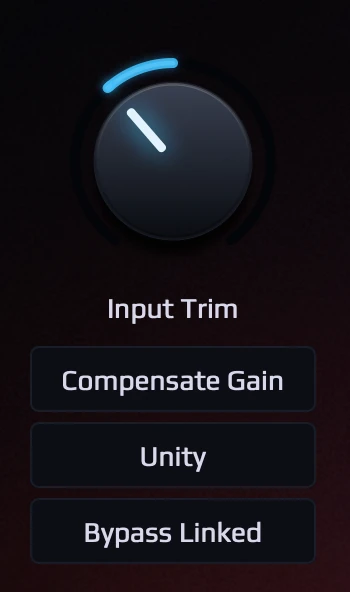
Input Trim with level-reactive knob. One-click Compensate Gain to reference level. Unity Gain locks input/output balance. Bypass Linked toggles all linked sections for instant A/B comparison. レベル反応ノブ付き Input Trim。ワンクリックで Compensate Gain をリファレンスレベルに。Unity Gain で入出力バランスをロック。Bypass Linked で全リンクセクションを一括切り替え、即座に A/B 比較。
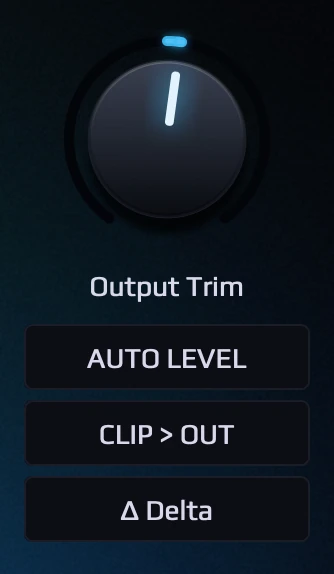
Output Trim with level-reactive knob. Auto Level matches loudness after processing. Clip > Out routes the clipper post-output for mastering. Delta monitors the difference signal. レベル反応ノブ付き Output Trim。Auto Level で処理後のラウドネスを自動マッチング。Clip > Out でマスタリング向けにクリッパーをアウトプット後に配置。Delta で差分信号をモニター。
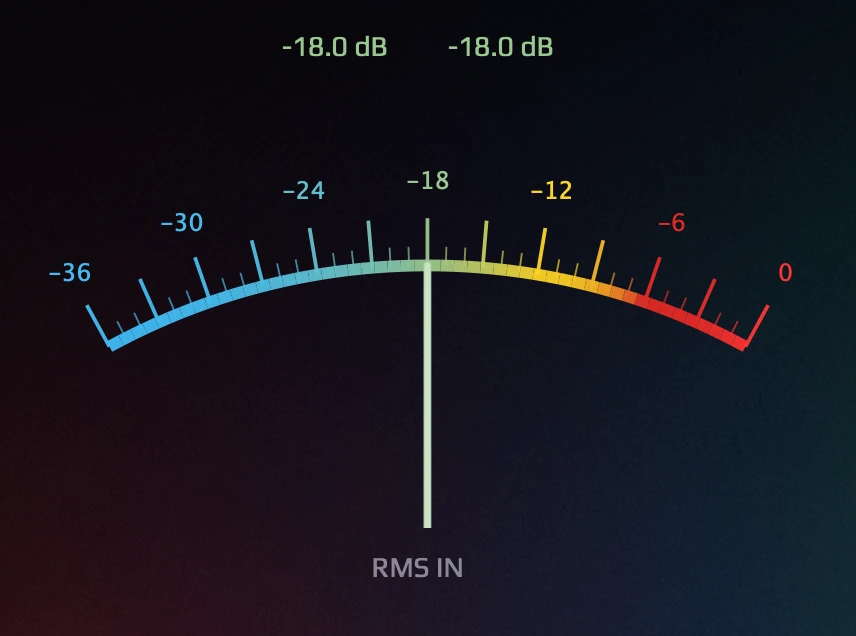
Dual arc meter displaying input and output RMS levels simultaneously. Color gradient from cyan (safe) through yellow (caution) to red (warning). Use for gain staging. 入出力の RMS レベルを同時に表示するデュアルアークメーター。シアン(安全)→ イエロー(注意)→ レッド(警告)のカラーグラデーション。ゲインステージングに使用。
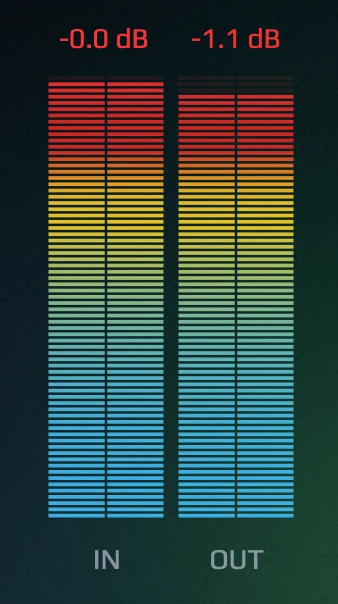
Sample-accurate peak meter for input and output. Color-coded bars with the same cyan-yellow-red gradient. 入出力のサンプル精度ピークメーター。シアン→イエロー→レッドの同じカラーグラデーション。
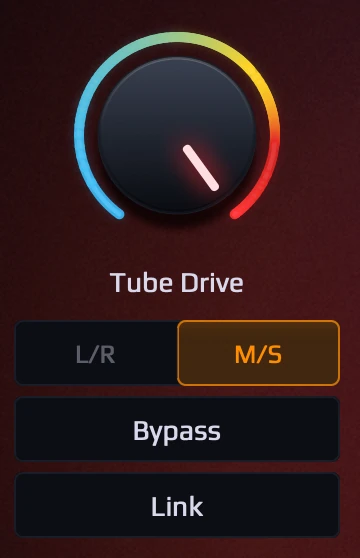
Dynamic warmth, even-order harmonics, and creamy saturation from the captured tube input stage. L/R or M/S expansion mode. Independent bypass and link. キャプチャされた真空管入力段からの動的な温かみ・偶数次倍音・クリーミーなサチュレーション。L/R または M/S エクスパンションモード。独立バイパスとリンク。
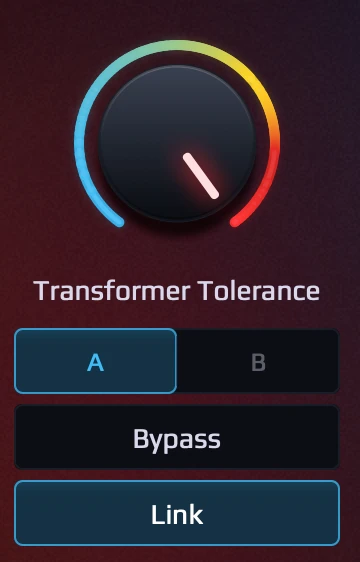
Core hysteresis, low-end heft, and magnetic presence from the captured transformer output stage. Pattern A/B for different hardware characters. Independent bypass and link. キャプチャされたトランス出力段からのヒステリシス・低域の太さ・磁気的プレゼンス。異なるハードウェア特性の A/B パターン選択。独立バイパスとリンク。
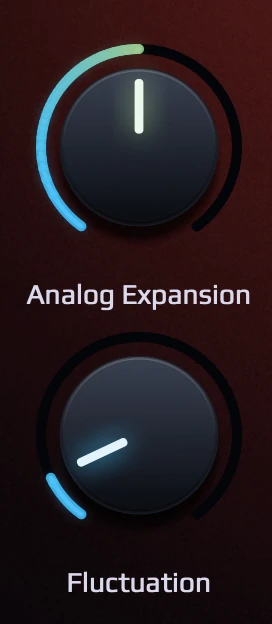
Analog Expansion controls L/R channel variation from matched (0%) to full hardware character (100%). Fluctuation adds the subtle, organic movement found in analog equipment. Analog Expansion で L/R チャンネル差を 0%(完全一致)〜 100%(ハードウェア固有差)で制御。Fluctuation はアナログ機器特有の微細な揺らぎを付加。
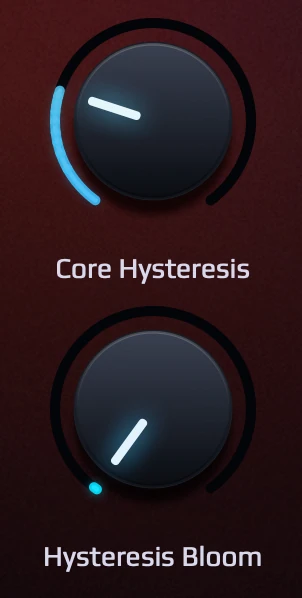
Enhances low-end response from transformer hysteresis — the organic "breathing" of analog iron. Bloom adds a living, reactive sense of depth and movement. Shape the low-end clarity — tighten the focus or let it breathe. トランスヒステリシスからの低域挙動を増強 — アナログアイアンの有機的な「呼吸」。Bloom は生きた反応性のある奥行きと動きを付加。低域の明瞭さを整える — フォーカスを引き締めるか、呼吸させるか。
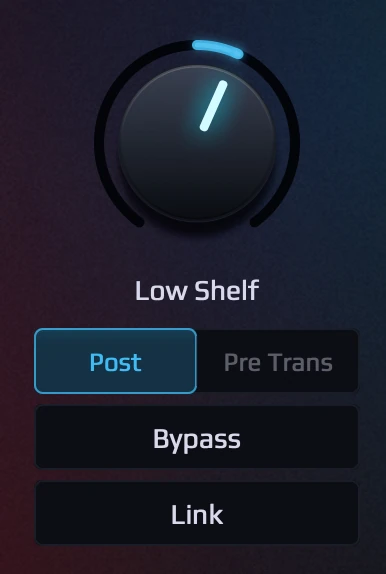
Hardware-measured low shelf EQ (fc=125.8Hz, Q=0.603). Pre/Post Trans position option. Independent bypass and link. ハードウェア実測のロー・シェルフ EQ(fc=125.8Hz, Q=0.603)。Pre/Post Trans ポジション選択。独立バイパスとリンク。
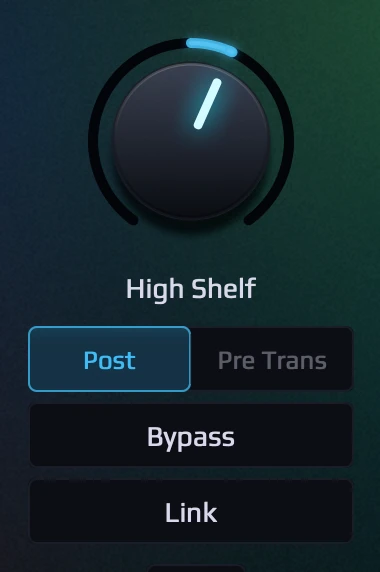
Hardware-measured high shelf EQ (fc=2212.5Hz, Q=0.352). Pre/Post Trans position option. Independent bypass and link. ハードウェア実測のハイ・シェルフ EQ(fc=2212.5Hz, Q=0.352)。Pre/Post Trans ポジション選択。独立バイパスとリンク。
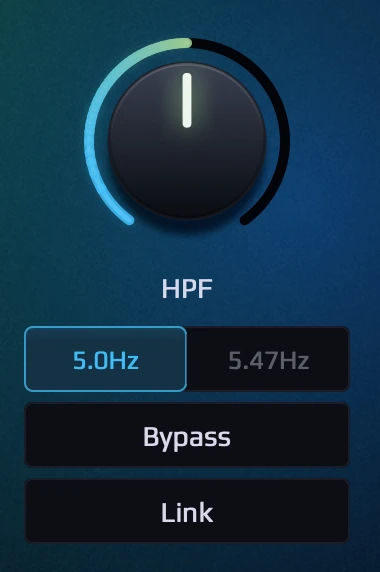
Morph transformer HPF Q from flat (0.707) to captured vintage peak. Selectable 5.0Hz (Transformer) / 5.47Hz (Tube). Impossible with analog hardware. トランスフォーマー HPF の Q をフラット(0.707)からビンテージピークまでモーフィング。5.0Hz / 5.47Hz 選択可能。アナログ機器では不可能。
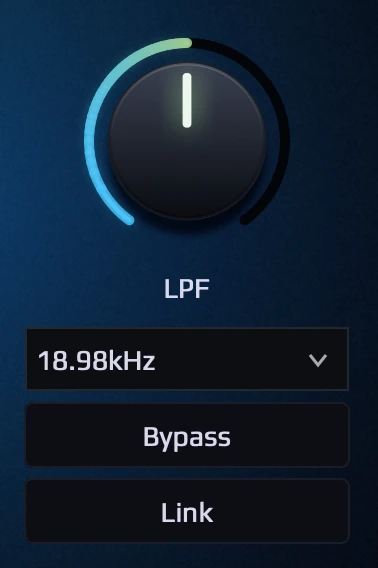
Morph LPF Q from flat (0.707) to captured vintage peak. Scalable cutoff: 18.97 / 37.95 / 75.90kHz by sample rate. Disable filters that cannot be bypassed on the analog unit. LPF の Q をフラット(0.707)からビンテージピークまでモーフィング。サンプルレートに応じたカットオフ: 18.97 / 37.95 / 75.90kHz。実機では不可能なフィルターの排除選択ができます。
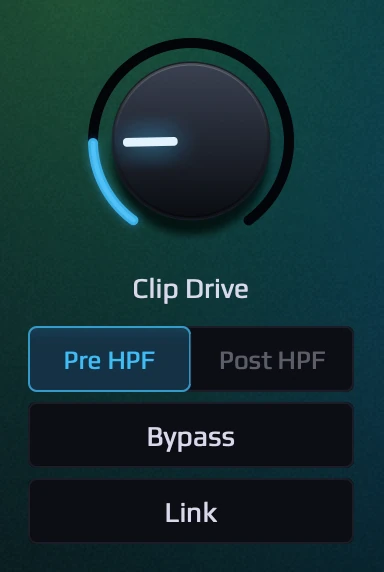
Recreates clipping characteristics measured from the actual hardware. Real-time GR arc. Pre/Post HPF position selector. Independent bypass and link. 実機から測定されたクリッピング特性を再現。リアルタイム GR アーク。Pre/Post HPF ポジション選択。独立バイパスとリンク。
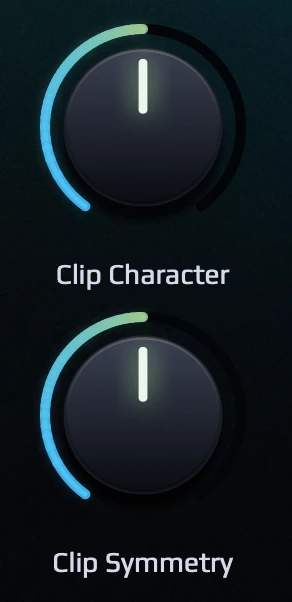
Character morphs the knee from soft saturation to hard clipping. Symmetry controls even-order harmonic balance (H2/H4). Character でニーをソフトサチュレーションからハードクリップまでモーフィング。Symmetry で偶数次倍音(H2/H4)のバランスを制御。
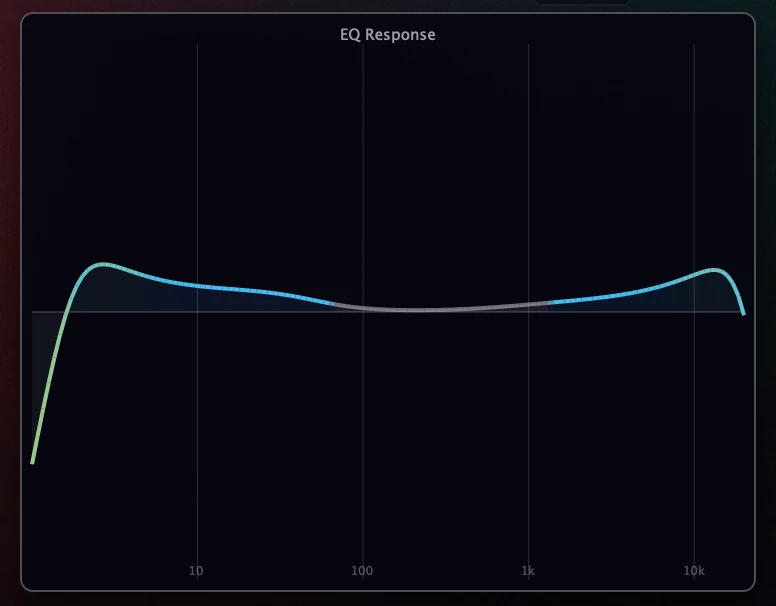
Real-time composite frequency response of Low Shelf, High Shelf, LPF, and HPF. See the combined EQ curve at a glance. Low Shelf、High Shelf、LPF、HPF の合成周波数特性をリアルタイム表示。EQ カーブ全体を瞬時に把握。
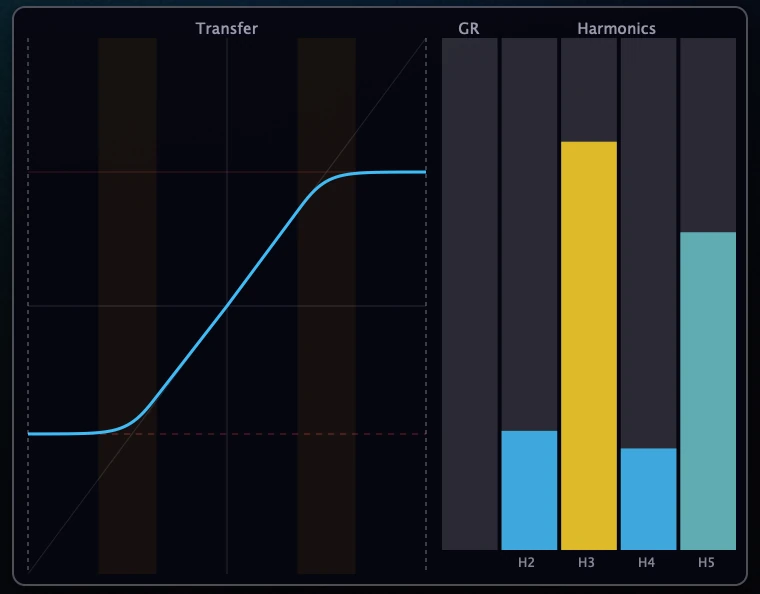
Real-time transfer curve, gain reduction, and harmonic analysis (H2–H5). See exactly how Character and Symmetry shape the harmonics. リアルタイムのトランスファーカーブ、ゲインリダクション、高調波分析(H2〜H5)。Character と Symmetry が倍音をどう形成するかを可視化。
Choose your balance between CPU efficiency and sonic fidelity. From waveshaper to ultra-high-precision real-time inference. CPU 効率と音質忠実度のバランスを自在に選択。ウェーブシェイパーから超高精度リアルタイム推論まで。
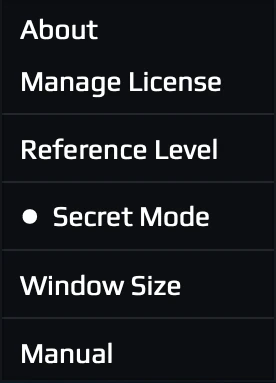
Enable Secret Mode in the settings menu to unlock Hybrid+, Professional+, and Extreme. 設定メニューで Secret Mode を有効にすると、Hybrid+、Professional+、Extreme が選択可能になります。
A conventional modeling approach with minimal CPU load. Uses input-signal-level-based processing, capable of reproducing per-level behavior. However, dynamic behavior reproduction is limited. 従来のモデリング手法を踏襲した最小 CPU 負荷のモード。入力信号レベルに基づく処理で、アナログ機器固有の入力レベルごとの挙動の再現が可能です。ただし、動的動作の再現性は低いです。
Built on the same architecture now widely used in NAM (Neural Amp Modeler) and similar proven capture-based modeling tools. While conventional NAM excels at static tone reproduction, it cannot capture signal-level-dependent dynamic behavior. Hybrid modes extend this with a proprietary conditioning design that enables dynamic response to input level — bringing the architecture beyond static capture into living, reactive modeling that captures time-varying behavior. 昨今 NAM(Neural Amp Modeler)など広く活用されているアーキテクチャをベースに構築。従来の NAM のような実績のあるキャプチャモデリングでは静的なトーン再現には優れていますが、入力信号レベルに依存した動的挙動のキャプチャはできません。Hybrid モードは独自のコンディショニング設計でこれを拡張し、入力レベルへの動的応答を実現 — 静的キャプチャを超えた、時間変化を捉えた生きた反応性のあるモデリングを可能にします。
Hybrid is a truly hybrid design that prioritizes CPU efficiency and effective processing, but Professional and above focus on time-varying dynamic behavior. While Hybrid offers high static reproduction fidelity, it also has architecture-inherent limitations. Professional modes prioritize capturing temporal behavior — how the hardware responds moment to moment. As CPU load increases through Pro, Pro+, and Extreme, transient accuracy and high-frequency reproduction improve progressively. Analysis in specific modes recorded waveform reproduction accuracy of 99.90% (99.63% by ESR evaluation, 99.78% by RMS measurement). Hybrid は CPU の処理能力と効率的な動作を重視した、まさしく Hybrid な設計ですが、Professional 以上のモードは時間変化する動的挙動に重きを置いた設計です。Hybrid は静的再現の忠実度は高いものの、アーキテクチャ固有の問題もあります。Professional モードはハードウェアの瞬間瞬間の応答 — 時間的挙動のキャプチャにこだわったモード。Pro → Pro+ → Extreme と CPU 負荷が上がるにつれ、トランジェントの正確さと高域の再現度が段階的に向上します。特定のモードでの解析の結果、波形の再現率 99.90% を記録しました。(ESR 評価では 99.63%、RMS 測定では 99.78%) ⚠️ Note: these modes do not use conventional processing, so real-time performance may be limited depending on your session. A high-performance computer or a DAW with efficient thread distribution may run Extreme at 4x oversampling without issue, but please be aware this is a fundamentally different processing approach. Running multiple instances in a single session may be difficult in some situations. ⚠️ こちらのモードは通常のプラグインのような処理ではないため、セッションの状況によってはリアルタイム動作が困難な場合があります。高性能なコンピュータや分散処理が得意な DAW の場合、Extreme で Oversampling 4x でも十分に動作する場合もありますが、通常の処理とは異なる方式を取っていることにご注意下さい。状況によっては複数のインスタンスを同一セッション上で立ち上げることが困難なことがあります。
Every stage visible. Every stage independently controllable. No hidden processing, no unwanted coloration. すべてのステージが可視。すべてが独立制御可能。隠れた処理なし、望まないカラーレーションなし。
There is no crippled demo here. Run it free forever with a short periodic interruption, or take 14 clean days with every feature unlocked. 機能を削ったデモはありません。短い中断付きで無期限に無料で使うか、全機能そのままの 14 日間を使うか、どちらかを選べます。
For security, the license is turned on with a license code — never your account password. セキュリティのため、ライセンスはアカウントのパスワードではなくライセンスコードで有効化します。
Fully functional — periodic noise bursts are removed once a license key is activated. 全機能利用可能です。ライセンスキーを認証すると、定期的なノイズの挿入が解除されます。
macOS: VST3, AU, AAX (Universal Binary — Apple Silicon and Intel). Windows: currently VST3 only (x64). Sample rates up to 192 kHz. Windows AAX support may be added in the future if there is sufficient demand. The AAX DSP architecture is not compatible with modern real-time processing, so AAX DSP is not available. macOS: VST3、AU、AAX(Universal Binary — Apple Silicon / Intel 対応)。Windows: 現在 VST3 のみ対応(x64)。サンプルレートは 192 kHz まで対応。Windows 版 AAX については、要望が多い場合は対応する可能性があります。AAX DSP のアーキテクチャはモダンなリアルタイム処理に対応していないため、AAX DSP は利用できません。
One license key activates up to 3 machines. Online activation is required. You can deactivate and reactivate through the plugin's settings menu. A purchased license re-validates with the server from time to time; if your computer happens to be offline, the plugin keeps working fully for up to 90 days ("Offline Mode"), and a single reconnection within that window re-verifies the license and resets the allowance. The license itself is perpetual. Offline activation is also available for computers without internet access (purchased licenses only) — visit the Offline Activation page. 1つのライセンスキーで最大3台のマシンで認証可能。オンライン認証が必要です。プラグインの設定メニューでライセンスの無効化・再認証ができます。購入ライセンスは時々サーバーと再検証されますが、その際オフラインでも最大 90 日間は「Offline Mode」としてフル機能で動作し続けます。期間内に一度インターネットに接続すれば自動で再検証され、90 日の猶予はリセットされます。ライセンス自体は永続です。 インターネットに接続できないコンピュータ向けにオフライン認証(購入ライセンス専用)も利用できます。
Without a license the plugin runs in Demo mode: fully functional and unlimited, but the audio is briefly interrupted at regular intervals (a short noise burst or a moment of silence — selectable in Settings). A free 14-day Full Trial removes the interruption entirely; it requires a free account and one online activation, and can be used on one computer. When the trial ends, the plugin simply returns to Demo mode. ライセンスがない状態では Demo モードで動作します。全機能・無制限ですが、一定間隔で音声が短く中断されます(短いノイズまたは一瞬の無音 — 設定で選択可能)。無料の 14 日間 Full Trial で中断は完全になくなります。無料アカウントと 1 回のオンラインアクティベーションが必要で、1 台のコンピューターで使用できます。トライアル終了後は Demo モードに戻るだけです。
Professional, Professional+, and Extreme modes use per-sample real-time inference, which is fundamentally different from conventional DSP processing. Try lowering the oversampling rate (4x → 2x → 1x), or switch to Hybrid mode for a lighter alternative with similar character. Increasing the audio buffer size may have very limited effect. DAWs with excellent thread distribution (such as Logic Pro or Reaper) have achieved multiple instances running at Extreme 4x. Professional、Professional+、Extreme モードはサンプル単位のリアルタイム推論を使用しており、従来の DSP 処理とは根本的に異なります。オーバーサンプリング率を下げる(4x → 2x → 1x)、または似たキャラクターで軽い Hybrid モードに切り替えてください。オーディオのバッファサイズを上げても効果が非常に薄い可能性があります。スレッド分散に優れた DAW(Logic Pro や Reaper 等)では Extreme 4x で複数起動を実現しています。
Standard and Hybrid modes can run multiple instances without issue. Professional and above may be limited depending on your system. For heavy sessions, use Standard or Hybrid on most tracks and reserve Professional for key channels. Standard と Hybrid モードは複数インスタンスを問題なく使用できます。Professional 以上はシステムによって制限がある場合があります。負荷の高いセッションでは、大部分のトラックに Standard / Hybrid を使い、Professional は重要なチャンネルに限定するのが効果的です。
This is the natural compression behavior of the analog tube circuit being faithfully reproduced. Use the Auto Level button to automatically match the output loudness after adjusting parameters. これはアナログ真空管回路の自然なコンプレッション動作を忠実に再現しているためです。パラメータ調整後に Auto Level ボタンを使って出力ラウドネスを自動的に合わせてください。
Yes. This plugin reacts dynamically to input level, just like real hardware. Use Compensate Gain to set the input to the reference level for optimal performance. The reference level can be configured in settings (+4 dBu = -18 dBFS or -20 dBFS). はい。このプラグインは実機と同様に入力レベルに対して動的に反応します。Compensate Gain で入力をリファレンスレベルに設定すると最適なパフォーマンスが得られます。リファレンスレベルは設定メニューから変更可能です(+4 dBu = -18 dBFS または -20 dBFS)。
As a digital product, all sales are final. We strongly recommend evaluating the trial version thoroughly before purchasing. See our EULA for details. デジタル商品のため、すべての販売は最終的なものです。ご購入前にトライアル版で十分に評価することを強くお勧めします。詳細は EULA をご確認ください。
While our proprietary hybrid architecture could potentially be adapted to GPU processing, the current GPU Audio SDK alone does not provide the functionality needed to support our processing structure. We are monitoring the development of GPU Audio and will consider support if the SDK matures to a level that makes integration feasible. 独自のハイブリッド構造の処理を GPU 処理に適応させること自体は技術的に可能かもしれませんが、現状の GPU Audio SDK のみでは本プラグインの処理構造に対応することができません。GPU Audio の開発状況を注視しており、SDK が統合可能なレベルに成熟した場合は対応を検討します。
| Minimum | Recommended | High-end | |
|---|---|---|---|
| Modes | Standard / Hybrid | Professional / Hybrid+ | Professional+ / Extreme |
| macOS | Apple Silicon (M1 or later) | Apple M1 Pro or later | Apple M2 Pro or later |
| Windows | Core i5 8th gen+ / Ryzen 5 3600+ | Core i7 10th gen+ / Ryzen 7 5700X+ | Core i9 13th gen+ |
| RAM | 4 GB | 8 GB | 16 GB |
| OS | macOS 11+ / Windows 11+ | ||
* This product is optimized for Apple Silicon. Intel Mac is functional but not officially supported.
* Windows requires AVX2 instruction set support (Intel 4th gen Haswell 2013+ / AMD Zen 2019+).
* Extreme mode is designed for Apple Silicon. Single-thread CPU performance matters more than core count.
* Running under Rosetta 2 on Apple Silicon is supported but cannot deliver full native performance. For best results, use a DAW that runs natively on Apple Silicon.
* 本製品は Apple Silicon に最適化されています。Intel Mac でも動作しますが、公式サポート対象外です。
* Windows は AVX2 命令セット対応が必須です(Intel 第 4 世代 Haswell 2013 以降 / AMD Zen 2019 以降)。
* Extreme モードは Apple Silicon 向けに設計されています。コア数よりシングルスレッド性能が重要です。
* Apple Silicon 上の Rosetta 2 での動作はサポートされますが、フルのネイティブ性能は得られません。最良の結果を得るには、Apple Silicon ネイティブ動作の DAW をご使用ください。